Legal
Text updates from MarketMate Plus
Last updated: October 14, 2026
When you register for a market or event in MarketMate Plus, you can choose to receive operational text messages about it. Here's exactly what that means.
What you'll receive: registration confirmations · attendance reminders · event-day check-in details · schedule or location changes · presale order updates for your booth.
How often: message frequency varies based on the markets you register for. Message and data rates may apply.
How to opt in: check the "Text me about my markets" box when you register for a market or event in your MarketMate Plus account. The box is unchecked by default, and consent is never required to use MarketMate Plus.
The checkbox reads:
"Text me about my markets. I agree to receive operational text messages from MarketMate Plus about events I register for — registration confirmations, attendance reminders, event-day check-in details, schedule or location changes, and presale order updates. Message frequency varies. Msg & data rates may apply. Reply STOP to cancel, HELP for help. See the Privacy Policy and Terms of Service."

How to opt out: reply STOP to any message at any time.
For help: reply HELP or email support@marketmateplus.com.
We never sell your number or share it for marketing or promotional purposes. Your number is shared with Twilio and the wireless carriers only to deliver these messages. See our Privacy Policy and Terms of Service.
Account & Founding Member updates
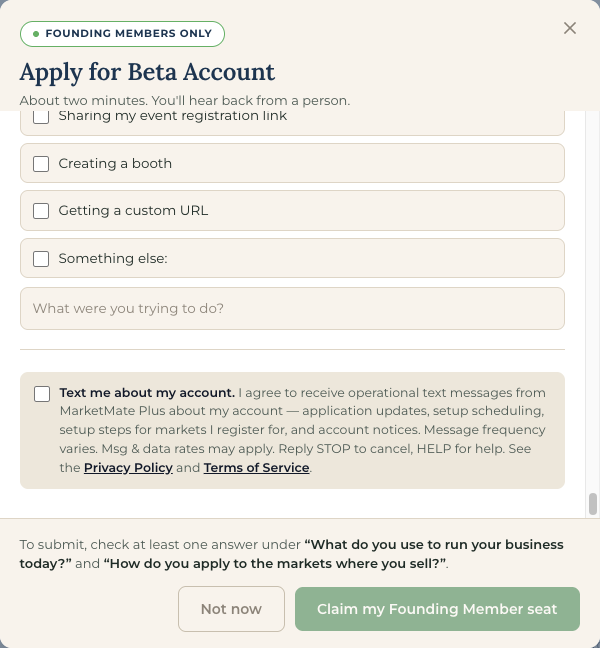
Separately from market texts, MarketMate Plus account holders — vendors and organizers — can choose to receive operational text messages about their account.
What you'll receive: application received · application decision · setup-call scheduling · setup steps for markets you registered for · account notices.
How often: Message frequency varies. Message and data rates may apply.
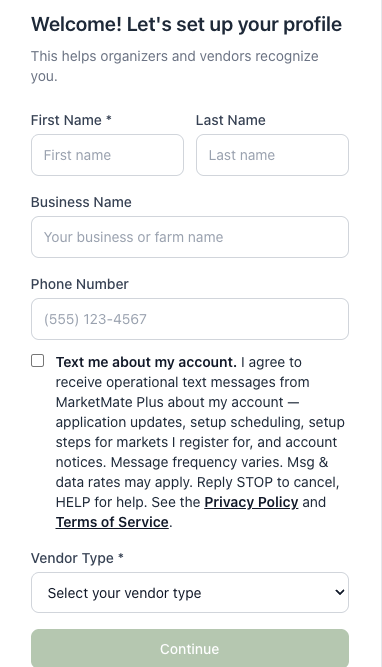
How to opt in: check the "Text me about my account" box in any of three places: the Founding Member application, account sign-up, or Account Settings. The box is unchecked by default, and consent is never required to use MarketMate Plus.
The checkbox reads:
Text me about my account. I agree to receive operational text messages from MarketMate Plus about my account — application updates, setup scheduling, setup steps for markets I register for, and account notices. Message frequency varies. Msg & data rates may apply. Reply STOP to cancel, HELP for help. See the Privacy Policy and Terms of Service.

How to opt out: reply STOP to any message at any time.
For help: reply HELP or email support@marketmateplus.com.
Shopper alerts from MarketMate Plus
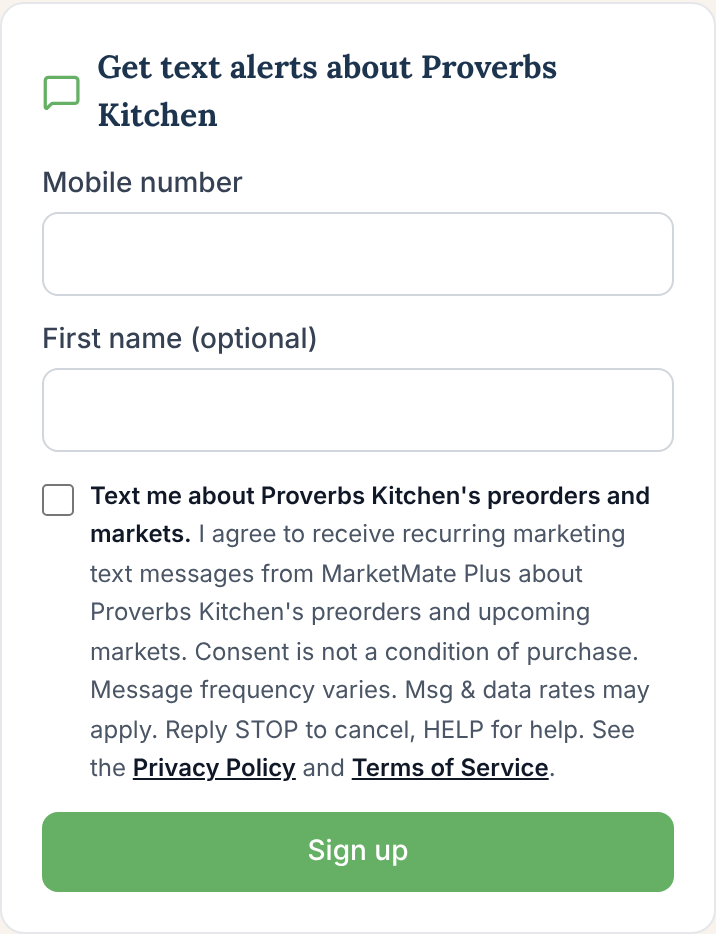
Shoppers can sign up for text alerts about one vendor they buy from, about that vendor's preorders and upcoming markets. MarketMate Plus sends every alert, from +1 903-270-3939, and each one starts "MarketMate Plus:" and names the vendor. Each sign-up is for one vendor only.
Where you opt in: in two places on a vendor's MarketMate Plus storefront. Both boxes are unchecked by default, and consent is not a condition of purchase.
The "Get text alerts about {Vendor}" card at the bottom of every storefront page. You enter your mobile number there only for this purpose (your first name is optional) and check the box.
At checkout, a separate box under the phone field, offered on every purchase. Checking it uses the phone number (and first name, if any) you typed for the order; the order never depends on it.
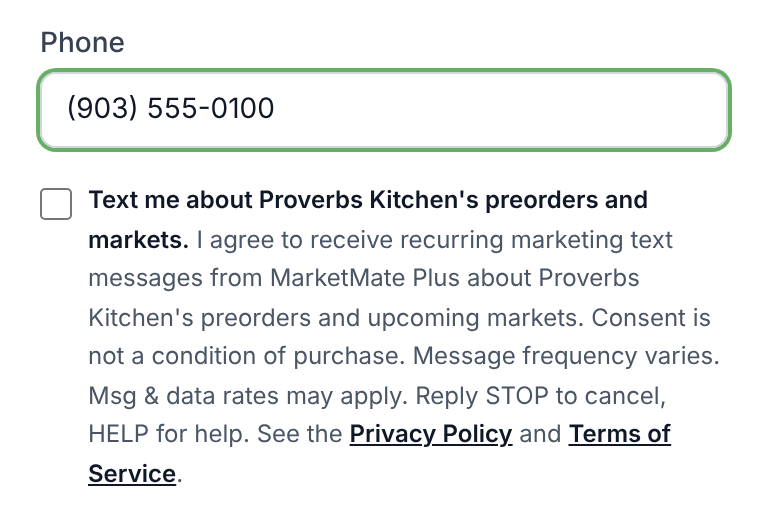
The checkbox reads:
Text me about {Vendor}'s preorders and markets. I agree to receive recurring marketing text messages from MarketMate Plus about {Vendor}'s preorders and upcoming markets. Consent is not a condition of purchase. Message frequency varies. Msg & data rates may apply. Reply STOP to cancel, HELP for help. See the Privacy Policy and Terms of Service.
{Vendor} is the name of the vendor whose storefront you're on.
What we send: only these alerts, and only about the vendor you signed up for: the vendor opening preorders for an upcoming market · a reminder before the vendor's preorder cutoff · the vendor's next market date and location · a change to the vendor's attendance (a cancellation or a new location) · a pickup reminder for a preorder you placed with that vendor.
How often and costs: Message frequency varies. Consent is not a condition of purchase. Msg & data rates may apply. Reply STOP to cancel, HELP for help.
How to opt out: reply STOP to any message. A STOP stops all MarketMate Plus shopper alerts to your number, for every vendor.
For help: reply HELP or email support@marketmateplus.com.